

Find your way around a project
Open a project from the projects page to see everything for that job. The mobile app and the web portal lay a project out differently.
A project opens on its lists. Tap a list to see its defects.
Tap the project menu to open a card with everything else, including View all defects to see every defect in the project at once. There’s no photo gallery in the app: use the web portal for that.
Each project has a side menu down the left.
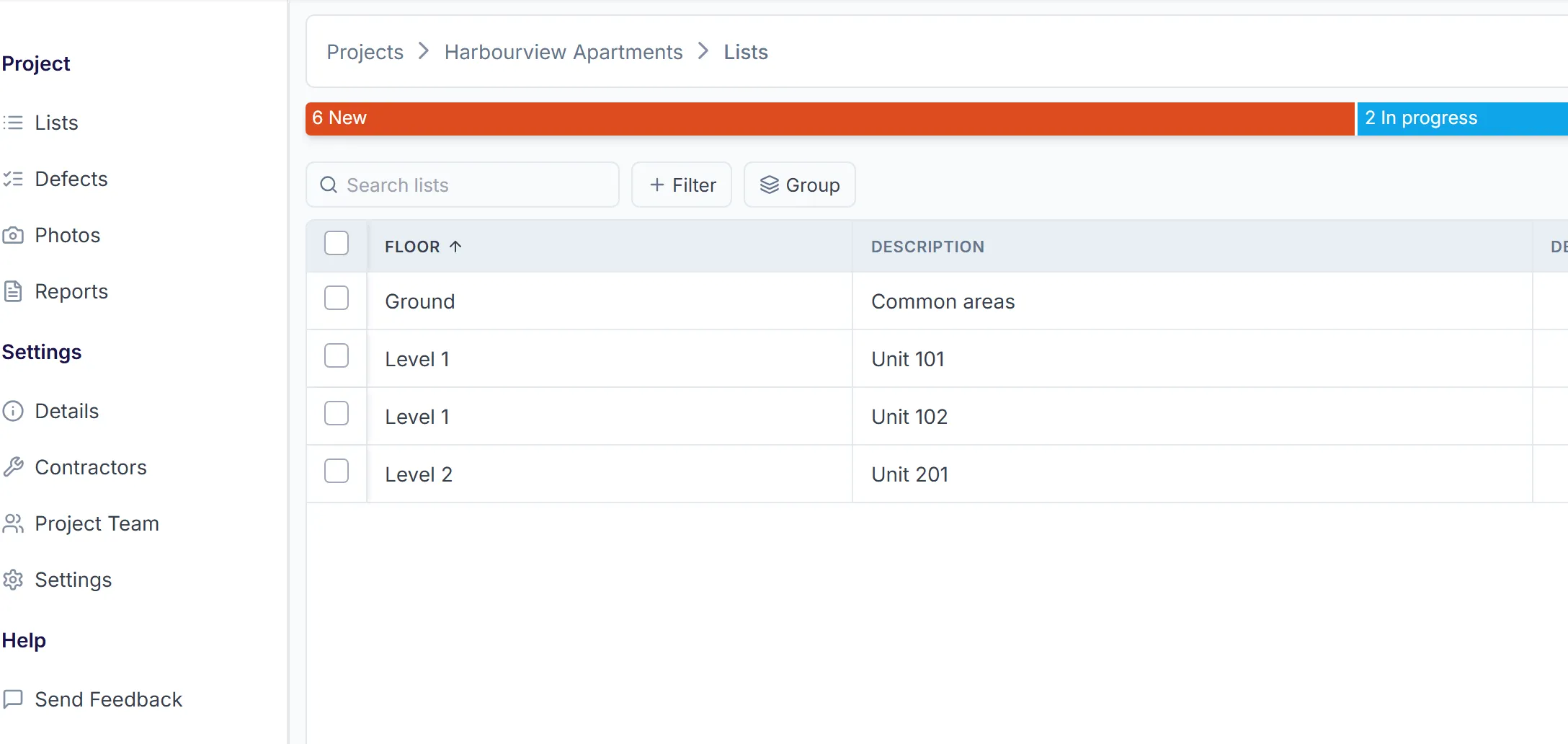
Project
Section titled “Project”| Page | What it’s for |
|---|---|
| Lists | The project’s lists of defects, with how many defects each has and how far along they are. The bar across the top shows how many are New, In progress and Complete. |
| Defects | Every defect in the project in one table, whichever list it’s in. |
| Photos | Every photo in the project. Click a photo to see it full size, then Open Defect to go to its defect, or download it. |
| Reports | Create reports and find the ones you’ve already made. See Create a report. |
You can search, filter, sort and group the Lists, Defects and Photos pages, and choose which columns to show. See Search, filter and sort tables.
To download several photos, select them, then click Download. One photo downloads on its own; more come as a zip file, up to 500 at a time.
Settings
Section titled “Settings”Who can use these: Workspace Owner, Admins and Project Owners
| Page | What it’s for |
|---|---|
| Details | The project’s name, reference, address, client and owners. See Change details. |
| Contractors | Which of your contractors are on this project. See Manage contractors. |
| Project Team | Which of your team are on this project. See Manage the team. |
| Settings | The project cover photo, owners portal, notifications, defect renumbering, and deleting the project. |
What you’ll see
Section titled “What you’ll see”What’s in a project depends on your role in it:
- Project Owners, the Workspace Owner and Admins see every page.
- Editors on the project team see the Project pages, and can view Details but not change them.
- Contractors see only the lists, and can view the project’s details.