

Add a contractor
Who can do this: Workspace Owner and Admins
Contractors are the companies and trades you assign defects to. Add them once to your workspace and they’re available on every project.
You can also add a new contractor from a project’s Contractors page. See Manage a project’s contractors.
-
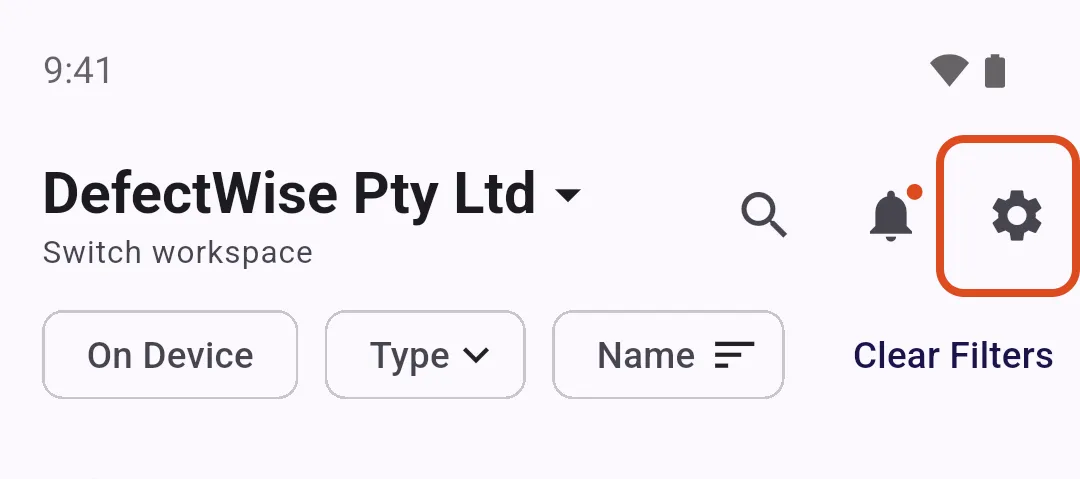
On the projects list, tap the settings icon at the top right.
-
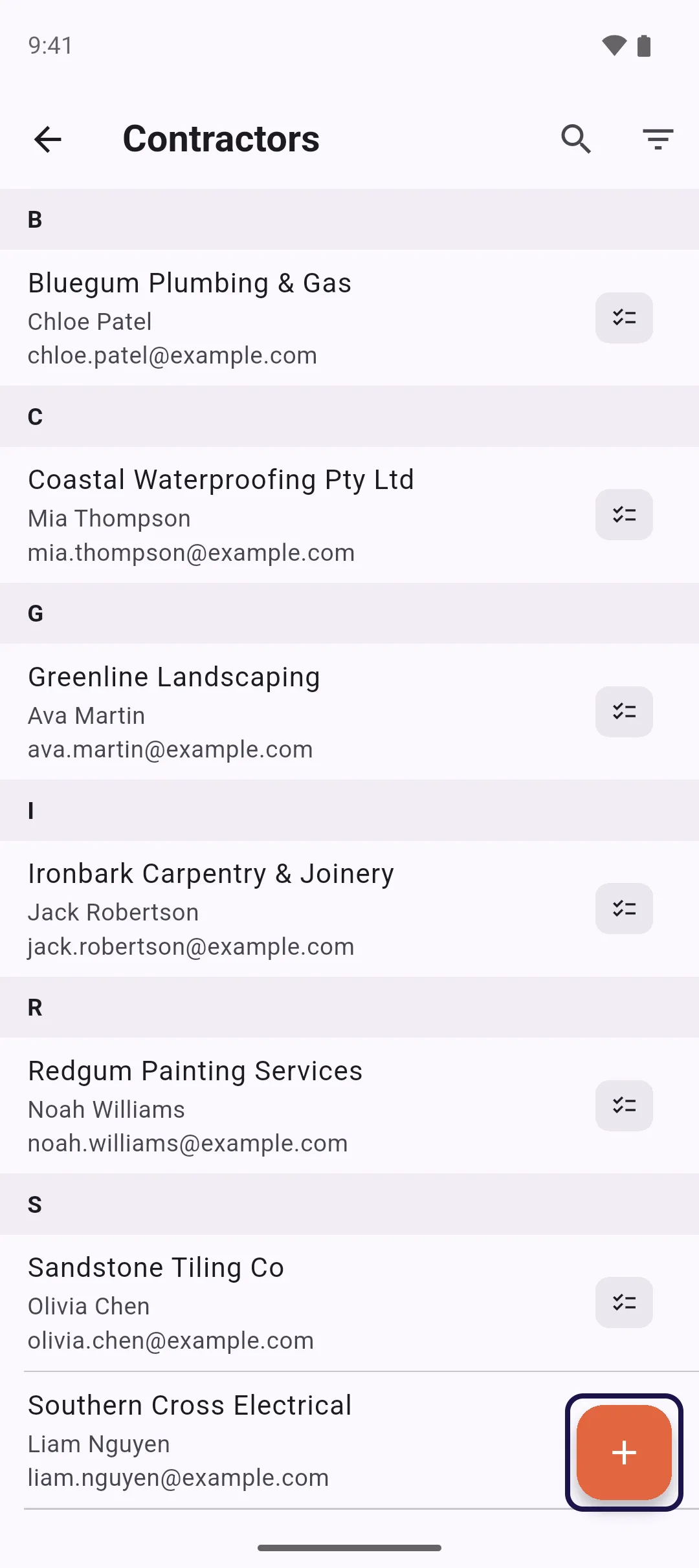
Tap Contractors.
-
Tap the add button at the bottom right.
-
Enter the Company name.
-
Add a Contractor Name, Email, Phone and Discipline if you have them.
-
Tap Save.
-
Click the settings icon at the top right of the page.
-
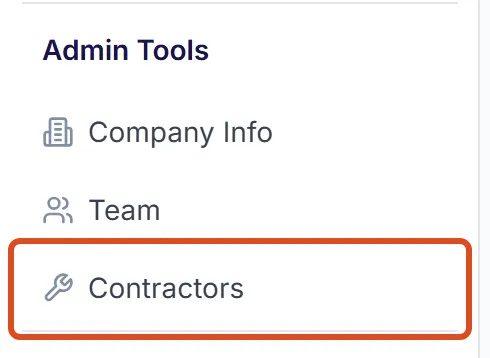
In the side menu, under Admin Tools, click Contractors.
-
Click Add Contractor.
-
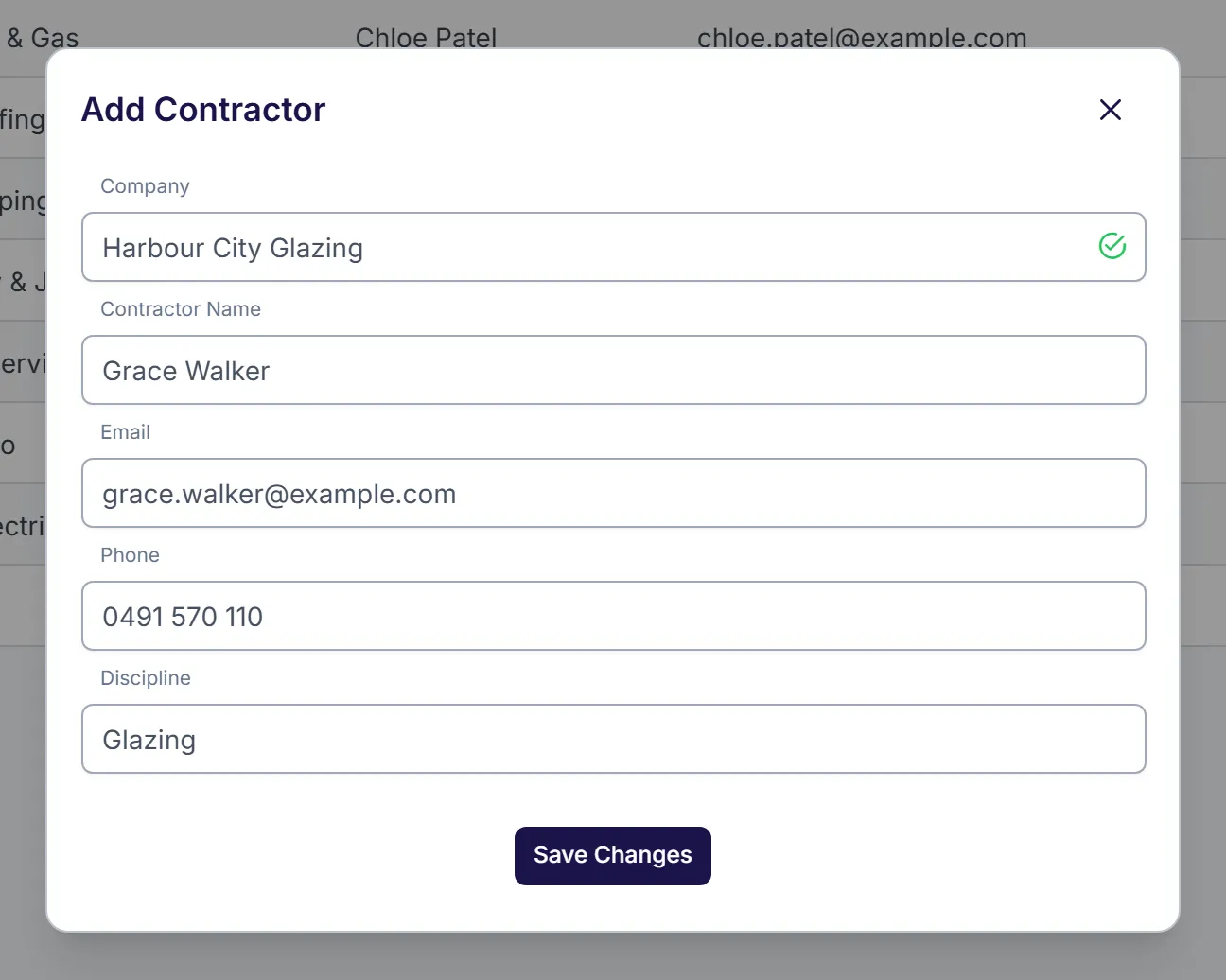
Enter the Company name. This is the only required field.
-
Add a Contractor Name, Email, Phone and Discipline if you have them.
-
Click Save Changes.
The contractor appears in the list with a status of Active.