

Publish changes
Who can do this: Workspace Owner and Admins
Publish a form to make it available for projects and lists. Your edits save as you go, but nobody sees them until you publish.
-
In the form builder, click Publish at the top right.
-
Check the message, then click Publish.
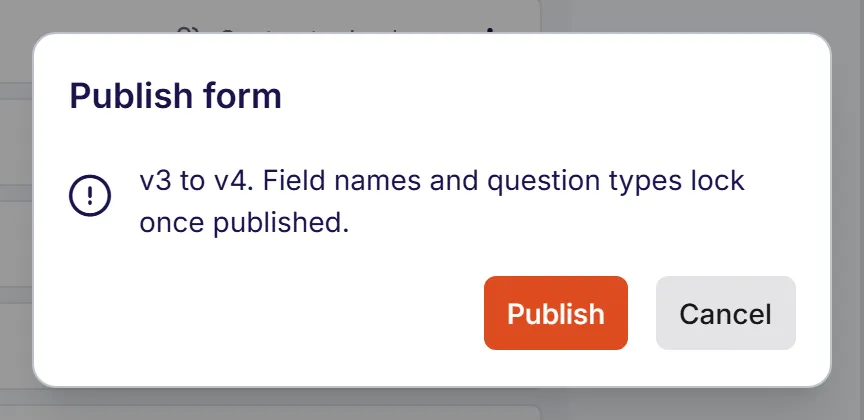
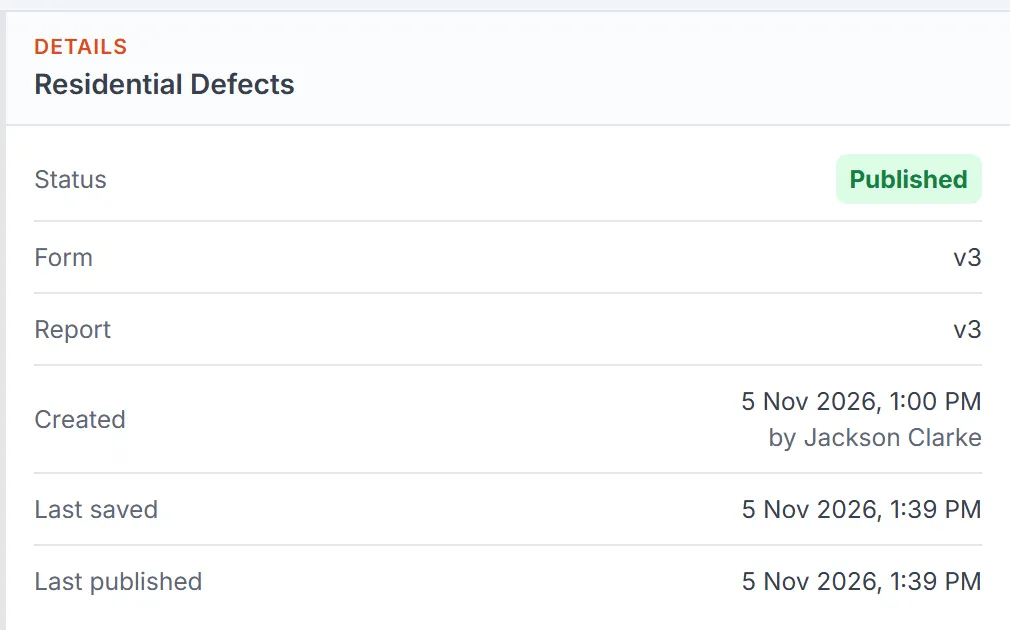
Each publish makes a new version. The Details panel on the right shows the form and report versions, and when the form was last saved and published. While you have edits that aren’t published yet, the status also shows Unpublished changes. Publish is greyed out when there’s nothing new to publish.
What happens to existing defects
Section titled “What happens to existing defects”You don’t need to update existing defects after you publish.
- Reports always print defects with the latest version of the form’s report layout.
- Editing a defect moves it to the latest version of the form. Until then, it keeps the questions it was created with.
What locks once published
Section titled “What locks once published”After a question has been published, you can’t change its:
- answer type
- Multi-select setting
- Field name
You can still reword it, change its other settings, move it or remove it. If you need a different answer type, add a new question instead.